
UnfyOpenSCADLib
LibFile: unfy_cablemanagement.scad
UnfyOpenSCADLib Copyright Leif Burrow 2026 kc8rwr@unfy.us unforgettability.net
unfy_cablemanagement contains a collection of modules for generating clips and strain reliefs for cables.
File Contents

Module: unf_cableClip_positive
Usage:
- unf_cableClip_positive(<args>);
Description:
Just the positive part of a cable clip.
Arguments:
| By Position | What it does |
|---|---|
cable_d |
cable diameter (7.5) |
gap |
width of the gap in the circle, which gets pinched shut to squeeze the cable (3) |
bolt |
bolt size for closing the clip (M3) |
tooth_length |
optional teeth to grip the cable, this is how far they stick inward (0.5) |
tooth_count |
how many teeth (4) |
wall |
minimum thickness of parts (1.4) |
support |
Optional support for printing, may be vertical, horizontal or none (none) |
support_skin |
thickness of support skin, if generating supports, probably good to use the minimum your slicer will include (0.6) |
body_color |
color of the generated part or false for default (blue) |
support_color |
color of generated supports or false for default (yellow) |
center |
center the part (true) |
Figure 1.1.1:
Module: unf_cableClip_Negative
Usage:
- unf_cableClip_Negative(<args>);
Description:
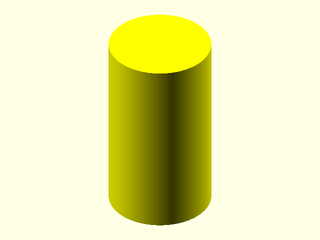
Just the negative part of a cable clip. Really, this is just a cylinder to extend the cable hole into the object the clip attaches to. What is useful here is that if rendered in the same location as the positive part it will locate the hole in the correct place.
Arguments:
| By Position | What it does |
|---|---|
cable_d |
cable diameter (7.5) |
bolt |
bolt size for closing the clip (M3) |
wall |
minimum thickness of parts (1.4) |
hole_ext |
how far to extend the cable hole in (3) |
center |
center the part (true) |
Figure 1.2.1:
Module: unf_cableClip
Usage:
- unf_cableClip(<args>){
child_stuff();
}
Description:

Operator module that uses unf_cableClip_Positive() and unf_cableClip_Negative() to place a cable clip on and a cable hole through the child object(s).
Arguments:
| By Position | What it does |
|---|---|
location |
where to place the clip relative to the child/childrens’ origin. ([0, 0, 0]) |
rotation |
how to orientate the clip releative to the child/childen objects (0) |
cable_d |
cable diameter (7.5) |
bolt |
bolt size for closing the clip (M3) |
gap |
width of the gap in the circle, which gets pinched shut to squeeze the cable (3) |
hole_ext |
how far to extend the cable hole into the child/children (3) |
tooth_length |
optional teeth to grip the cable, this is how far they stick inward (0.5) |
tooth_count |
how many teeth (4) |
support |
optional support for printing, may be vertical, horizontal or none (none) |
support_skin |
thickness of support skin, if generating supports, probably good to use the minimum your slicer will include (0.6) |
wall |
minimum thickness of parts (1.4) |
body_color |
color of the generated part or false for default (blue) |
support_color |
color of generated supports or false for default (yellow) |
center |
center the part (true) |
Figure 1.3.1:
Module: unf_clipInStrainRelief
Usage:
- unf_clipInStrainRelief(<args>);
Description:
A cable strain relief that can be closed within a hole between two walls of a chassis.
Arguments:
| By Position | What it does |
|---|---|
cable_d |
cable diameter (2.5) |
num_conductors |
number of conductors or separate cables to pass through (2) |
inside_diameter |
diameter of non-tapered end that goes inside the chasis (12) |
inside_length |
length of non-tapered end that goes inside the chasis (2.5) |
waste_diameter |
diameter of narrow part that gets gripped by the chassis (6) |
waste_length |
length of the narrow part that gets gripped by the chassis (3) |
outside_length |
length of the tapered end that goes outside the chasis (7) |
outside_diameter |
diameter of the tapered end that goes outside the chasis (12) |
wall |
minimum wall thickness (1.5) |
body_color |
color of the generated part or false for default (blue) |
support_skin |
thickness of support skin to print along the outside edge of the waste for preventing overhang (0.6) |
support_color |
color of generated supports or false for default (yellow) |
edge_r |
radius of rounded edges (2) |
Figure 1.4.1:

Figure 1.4.2: